As your fitness business grows, so does the number of people involved in running it. Head coaches create programming. Trainers deliver classes. Staff manage displays. Content creators maintain exercise libraries and media.
Until now, managing all of this often meant sharing logins or limiting access to a single account holder. Today, that's changing.
We're excited to introduce Account Sharing & Permissions, making it easier than ever for gyms, studios, fitness franchises, and coaching teams to collaborate inside CloudFit.
What is Account Sharing & Permissions?
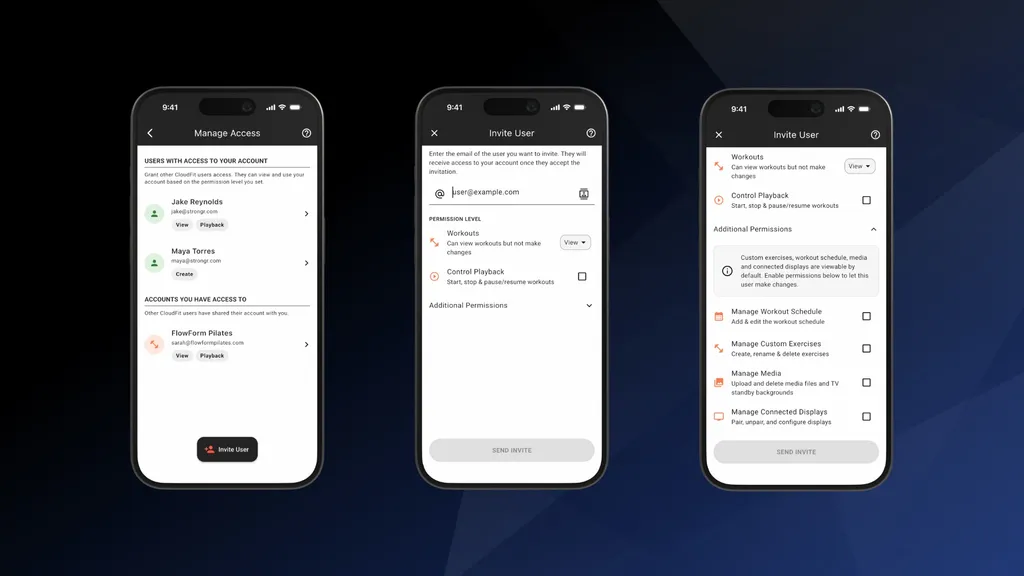
Account Sharing & Permissions is a CloudFit feature that lets you invite other CloudFit users to access your account and assign each person permissions based on their role.
This allows your entire team to work from the same set of workouts, schedules, exercises, media, and displays, while you keep control over who can make changes. Whether you're running a single boutique studio or managing multiple locations, your team can now collaborate without sharing passwords or creating operational bottlenecks.
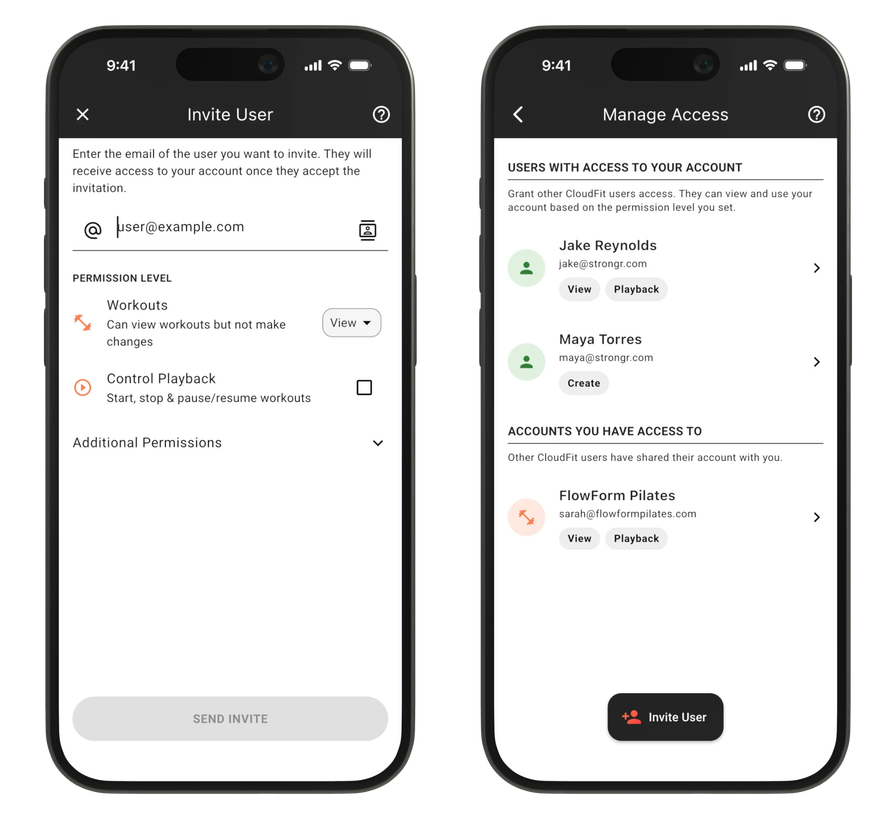
Invite users to your account and manage their access.
One Platform. Multiple Team Members.
Every person on your team signs in with their own CloudFit login and sees exactly what you've given them access to. No more passing a shared password around the front desk, and no more funneling every workout change through one account holder.
That means:
- No shared passwords. Each team member uses their own credentials, keeping your account secure.
- One source of truth. Everyone works from the same workouts, schedules, exercise libraries, and displays.
- Ownership stays with you. You control the account, the content, and who has access at all times.
Give Each Team Member the Right Level of Access
Not everyone needs full administrative access. With Account Sharing & Permissions, you choose exactly what each user can do within your CloudFit account.
For example:
- Trainers can review upcoming workouts and programming
- Coaches can create and manage their own workouts
- Head trainers can manage programming across the entire facility
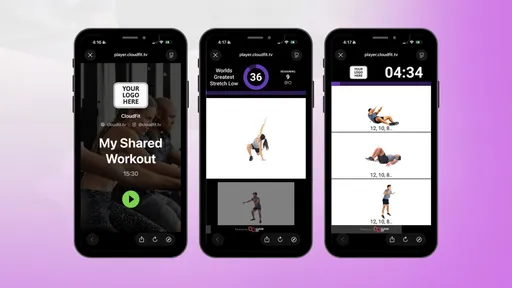
- Staff can control workout playback from shared devices
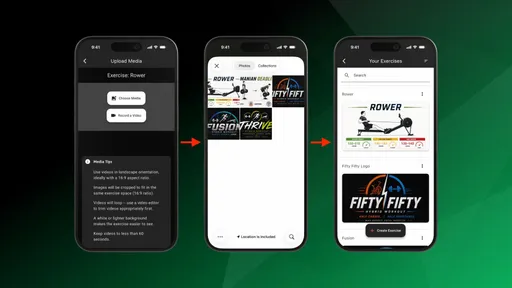
- Content creators can maintain your exercise and media libraries
You decide who can view, create, edit, delete, and manage content throughout your account. For the full breakdown of what each permission covers, see our Account Permissions help doc.
How Account Sharing Works
Getting your team set up is simple:
- Invite a team member to your CloudFit account.
- Assign permissions based on their role — what they can view, create, edit, delete, and manage.
- They sign in with their own CloudFit login and start working from your shared workouts, schedules, and content.
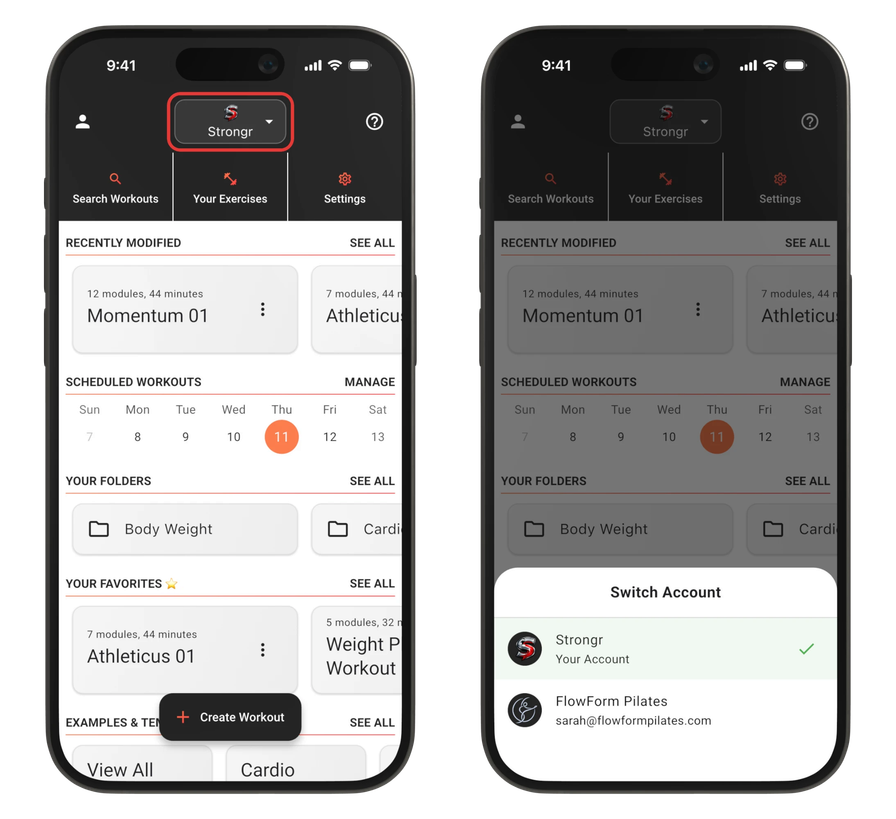
Easily switch between your account and accounts shared with you.
You can adjust or remove a team member's access at any time, so your account always reflects who is actually on your team. Step-by-step instructions are on our Managing Access to Your Account support page.
Designed for Real Gym Operations
Every fitness business operates differently.
Some facilities have a single programmer. Others have multiple coaches creating workouts every day. Many use dedicated tablets or devices for running classes and displays on gym TVs.
Account Sharing & Permissions was built to support these real-world workflows while keeping ownership and control where it belongs.
The result is a more collaborative, secure, and scalable way to manage your gym's digital signage, workout programming, and content.
Perfect for Multi-Site Facilities and Growing Teams
As your team expands, operational consistency becomes increasingly important.
By giving staff access to a shared CloudFit account, everyone works from the same workouts, schedules, displays, and exercise libraries. This helps reduce mistakes, improve communication, and deliver a more consistent member experience across every class and location.
For franchises and multi-location facilities, that consistency is often the difference between a brand that scales smoothly and one that fragments as it grows. When every coach at every site pulls from the same programming and media, your members get the same quality experience no matter which location they walk into.
Frequently Asked Questions
Do my team members need their own CloudFit accounts?
Yes. You invite other CloudFit users to access your account, and each person signs in with their own login. That's what makes it possible to collaborate without sharing passwords.
Can I control what each team member can do?
Yes. You decide who can view, create, edit, delete, and manage content throughout your account, so each person gets access that matches their role — from view-only trainers to head coaches managing programming across your facility.
Does this work across multiple locations?
Yes. Account Sharing & Permissions is designed for everything from single boutique studios to multi-site facilities and franchises, so your whole team can work from one shared set of workouts, schedules, and content.
Where do I set this up?
See Managing Access to Your Account for step-by-step setup instructions, and Account Permissions for details on each permission level.
Available Now
Account Sharing & Permissions is available now.
To learn more, see:
We're excited to see how fitness businesses use this feature to streamline operations and make collaboration easier than ever.
Stay tuned for more updates, and follow us on social media @cloudfit.tv.