How Workout Display Systems Work
CloudFit helps gyms build workouts, send them to one or more screens, and run them live or on schedule using timers, digital whiteboards, exercise videos, and flexible multi-screen layouts. Read on to see how it all comes together — or jump to the benefits of workout display systems for the business case.
The Simple Version
A workout display system works in three main steps:
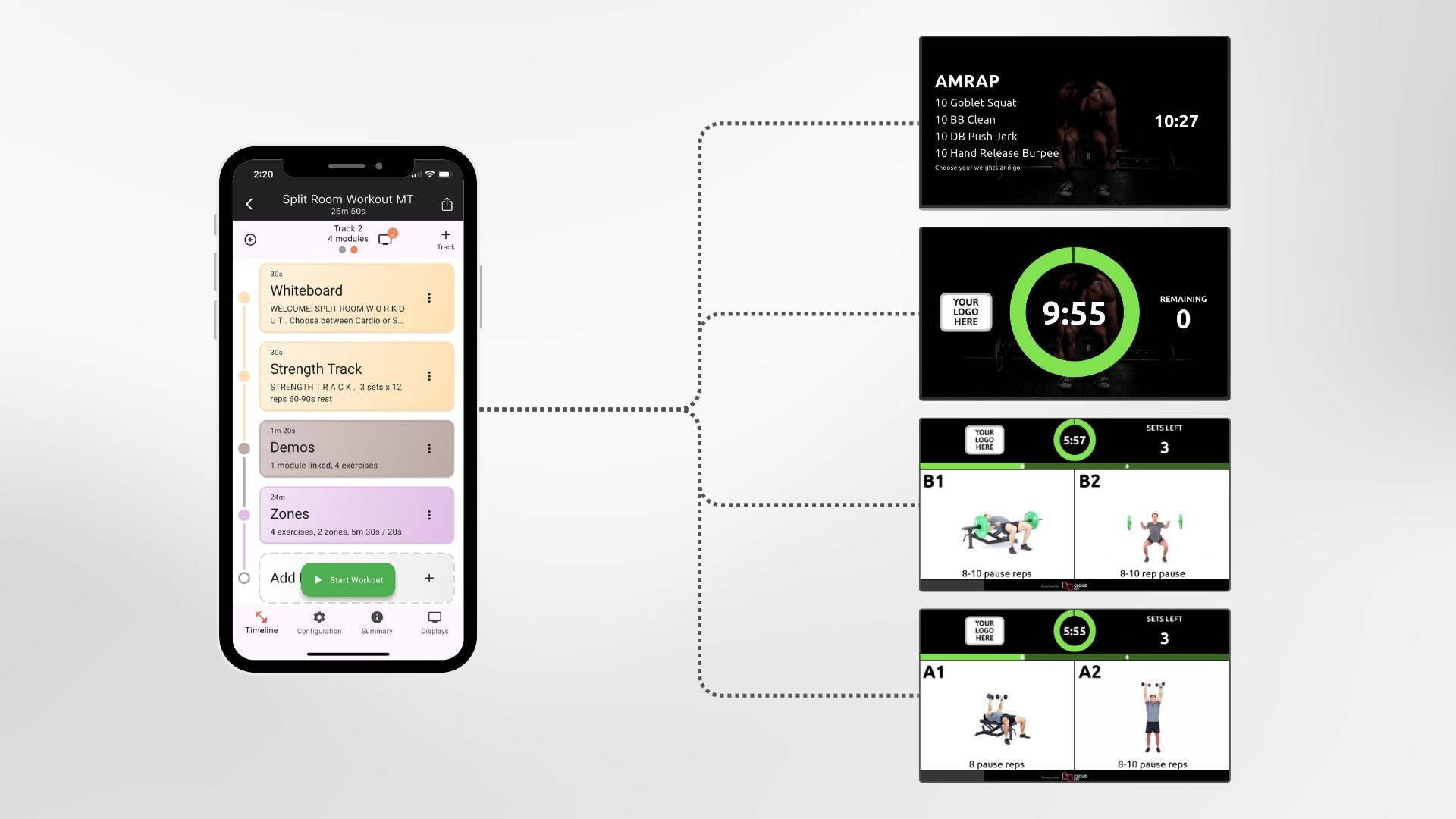
- Build the workout in the controller app. Set the timer, intervals, exercise videos, digital whiteboards with quick text or canvas-style layouts, and any station instructions from your phone, tablet, or laptop.
- Configure how it appears on your screens. Choose what each TV shows during the workout: a dedicated timer, exercise demos, station-specific instructions, and your gym's branding. Different screens can show different content.
- Hit start, or let the schedule do it. One tap in the controller app and every screen comes to life with the workout. You can also schedule workouts to start automatically at set times.
With CloudFit, staff use the controller app to build and manage workouts, then use the TV app to display them across one or more screens in the gym.
That allows gyms to run workouts using timers, intervals, digital whiteboards, exercise videos, images, and other workout content that helps members follow the session more clearly. For more designed whiteboard layouts, the Canvas Editor lets you place and style text directly on the whiteboard area.
Unlike simple screen mirroring or casting, a workout display system can show different content on different TVs at the same time. That is what makes it much more powerful for stations, zones, and dynamic workouts across the gym floor.
CloudFit webinar - getting started in under 10 minutes
See how CloudFit's mobile and TV apps work together, pair a TV, and build and run your first workout - all in 10 minutes.
How CloudFit Works Step by Step
1. Build the Workout in the Controller App
Staff create workouts in the CloudFit controller app using a phone, tablet, or laptop.
This is where you:
- build workout structure
- add timers and intervals
- add exercise videos and images
- add digital whiteboards with workout instructions, coaching cues, or designed canvas layouts
- organize stations, zones, or workout flow
- manage branding and workout content
- save and reuse workouts later
2. Run the Workout on One or More Screens
CloudFit then displays that workout on one or more TVs using the CloudFit TV app running on compatible media devices.
A simple setup might use one TV for the whole room. A more advanced setup might use multiple TVs showing different parts of the workout at the same time.
For example:
- one screen can show the main timer
- another can show exercise demos
- another can show station-specific instructions
- different zones can show different workouts
3. Run the Workout Manually or on Schedule
Once the workout is ready, it can be started manually when the class begins or scheduled to start automatically at set times.
This works well for:
- coach-led group workouts
- semi-private sessions
- open gym formats
- self-guided workout areas
- 24/7 gym environments
What the Controller App Does
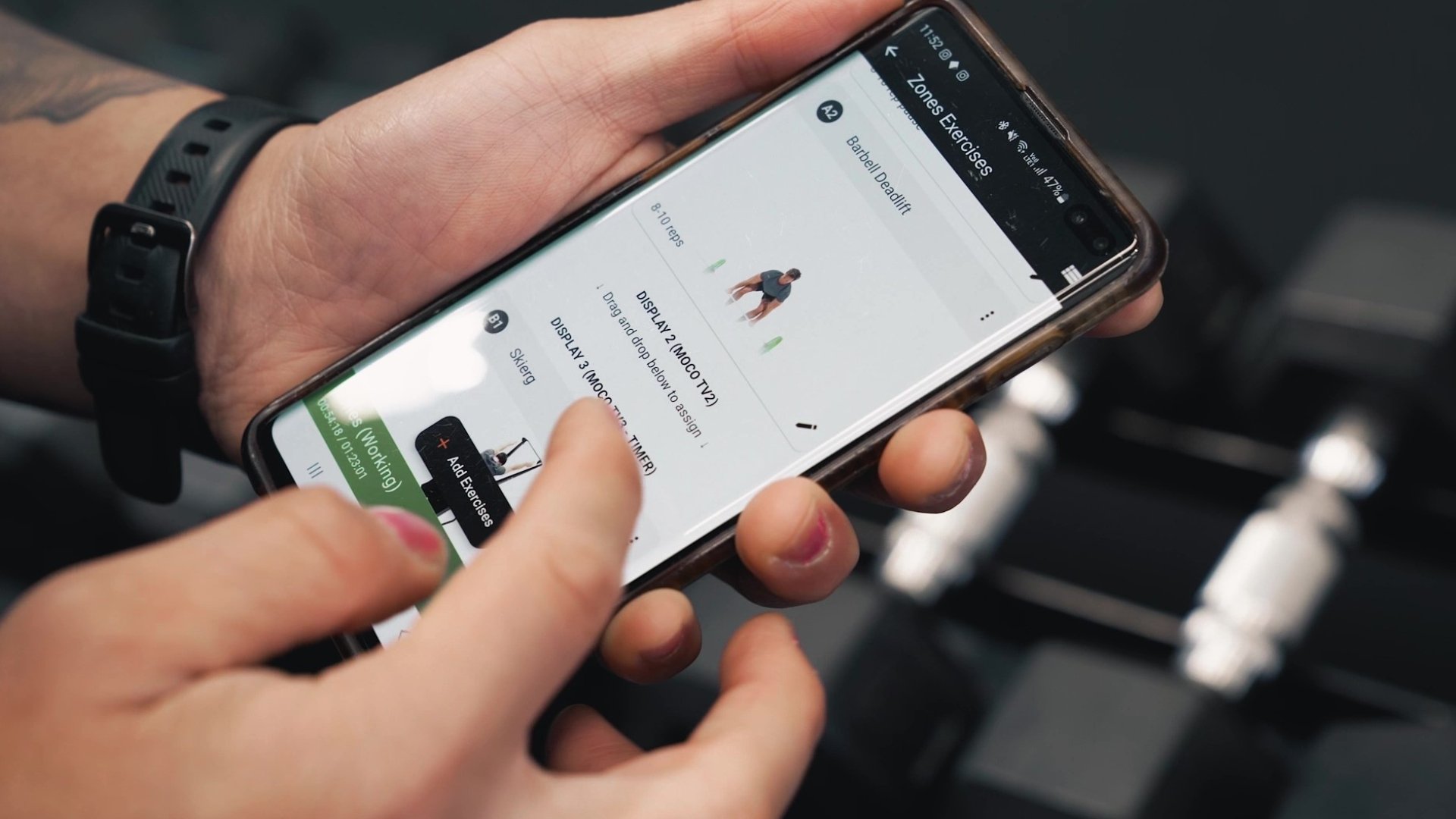
The CloudFit controller app is where the gym builds and manages the workout experience.
It is used to:
- build workouts
- edit and update workouts quickly
- start workouts manually
- schedule workouts to run automatically
- manage exercise videos and media
- manage branding and screen content
- organize reusable workouts and templates
- manage access to your account
This makes it easier to create workouts once, improve them over time, and run them more consistently across sessions, coaches, and locations.
It also means workouts are easier to update than a fixed pre-recorded video. If you want to change the timer, swap an exercise, adjust a station, or update part of the session, you can do that without remaking a full 45-minute workout video.
What the TV App Does
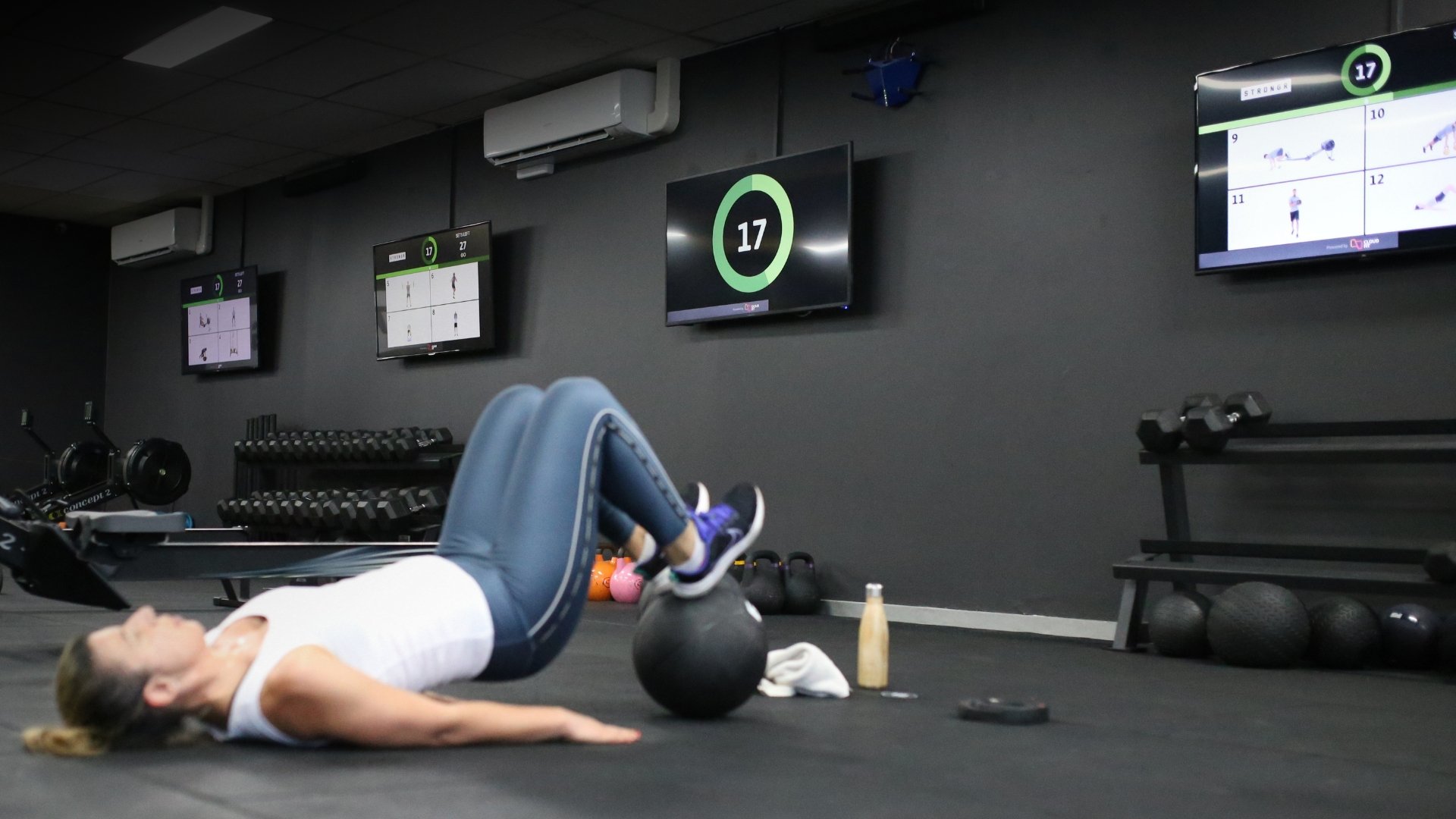
The CloudFit TV app is what turns screens in the gym into workout displays.
It is designed to show workout content clearly on each display, whether that means:
- the same content on every screen
- different content on different screens
- a timer on one screen and demos on another
- separate instructions for separate stations or zones
This is one of the biggest differences between a workout display system and simple screen mirroring.
With mirroring or casting, one device is usually just copied onto one screen. With CloudFit, each display can play a more specific role in helping the workout run smoothly.
That is especially useful for:
- functional fitness gyms
- HIIT and circuit training
- strength and conditioning
- multi-zone studios
- larger group workout spaces
What Can Actually Appear on the Screens?
A workout display system is not just a countdown clock. It can combine multiple kinds of workout content on screen.
Timers and intervals
Run rounds, work and rest blocks, transitions, circuits, AMRAPs, EMOMs, and other timed workout formats.
Digital whiteboards
Show workout structure, notes, rep schemes, station instructions, and coaching cues in a cleaner and more repeatable format.
Exercise videos and media
Display movement demos, exercise videos, and visual references that help members know what to do.
Different content on different TVs
Use multiple screens to support separate stations, zones, or parallel workout tracks across the floor.
Branded workout presentation
Run your own programming, your own content, and your own branding instead of relying on a generic content feed.
Dynamic workouts
Update and adjust workouts anytime, without rebuilding a full pre-recorded session from scratch.
One Screen or Multiple Screens
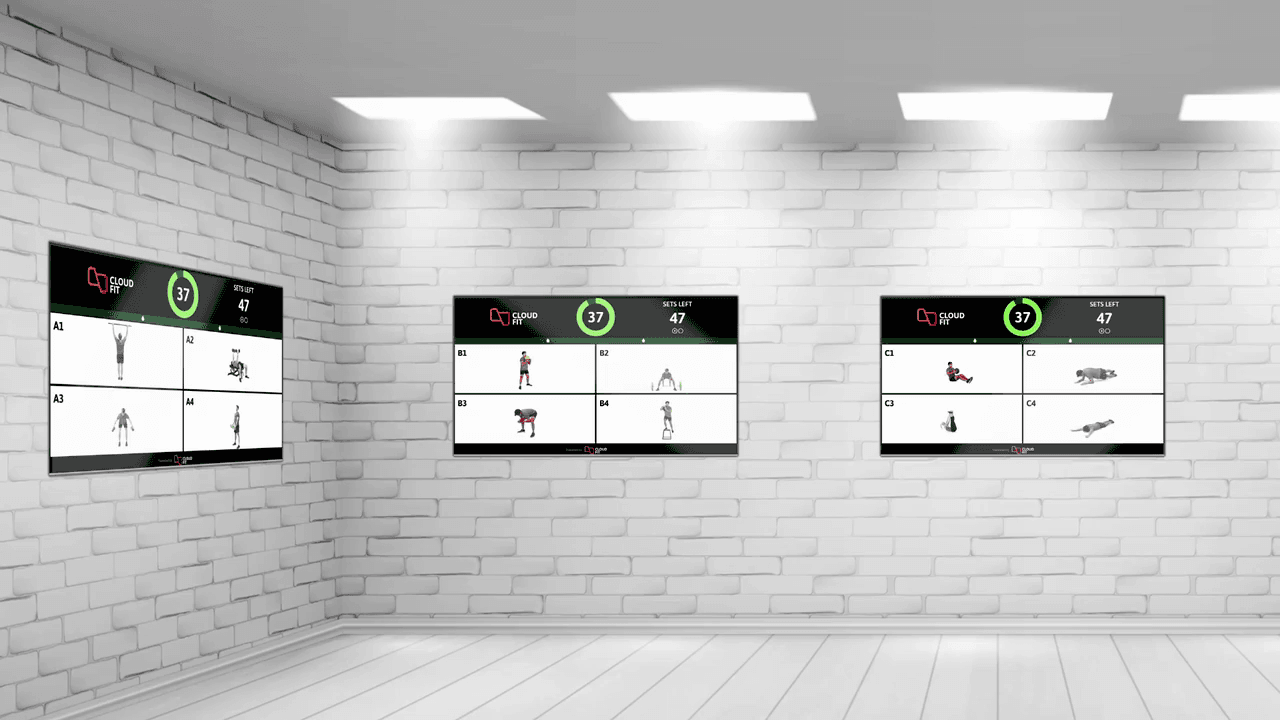
Some gyms start with a single workout screen. Others run multiple displays across the room.
Single-Screen Setup
A single large screen can work well in smaller spaces where everyone follows the same workout flow together.
Multi-Screen Setup
Multiple screens become more powerful when the gym has:
- different stations
- multiple zones
- different exercises happening at once
- a need for separate timers or supporting media
- more complex group workout formats
- larger floor space and larger groups
In these setups, CloudFit can show different content on different displays so members get the information that is most relevant to where they are in the room.
Many gyms first think in terms of screen mirroring, casting, or playing a single long workout video.
A workout display system is more flexible than that.
One device is usually mirrored to one screen, with limited control over what each display shows.
CloudFit can run one or more screens, with each display showing different content while staying in sync with the overall workout. This is far more useful for stations, zones, and group workout flow.
This can work for passive playback, but it is hard to customize when programming changes or the room setup is more dynamic.
CloudFit workouts can be updated, restructured, scheduled, and reused more easily without having to remake an entire long-form video.
Useful for announcements, promotions, or schedules, but not designed to actively run the workout itself.
CloudFit is designed for live workout delivery using timers, digital whiteboards, media, and more flexible screen layouts.
Running the Workout Day to Day
Once a workout is built and assigned to the right screens, gyms can run it in the way that suits their operation.
Manual start works well when a coach wants to begin the session when the room is ready.
Scheduled start works well when gyms want sessions that start automatically at set times, which can be useful for consistency, open gym, or lower-staff environments.
This gives gyms flexibility without changing how the workouts themselves are built.
What CloudFit Customers Say
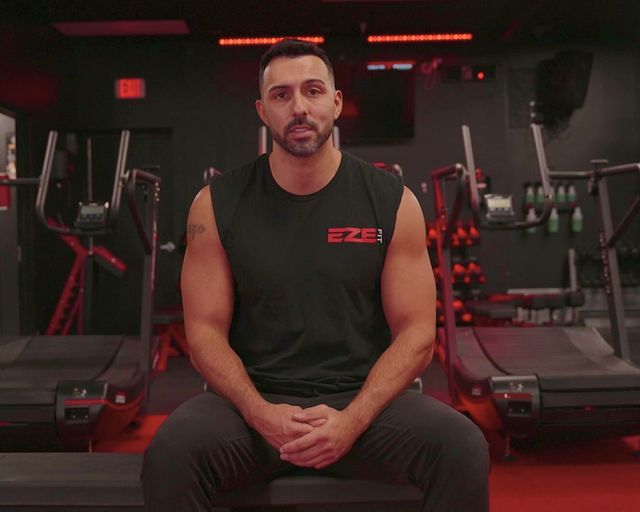
“CloudFit has completely changed the game for us. Before, we wrote out all our workouts on whiteboards, but now we've streamlined our programming across all our locations. Our members instantly know what they're doing, and our coaches can simply focus on coaching. Honestly, it’s helped us streamline our systems, elevate our brand, and completely enhance our member experience.”

Jon Lazo
Eze Fit

“CloudFit has been a game changer for us. It allows us to maximize the 60 minutes we have with our members by saving the trainer countless reps of demonstrating and ensuring proper form, technique, and reps are displayed on a monitor at each station. This tool is a game changer and I highly recommend it.”

Art Ortiz
OC Lab
Frequently Asked Questions
Keep Learning
- What a workout display system is — the high-level introduction.
- Benefits of workout display systems — the business case for gym owners.
- Gym screen setup guide — TVs, mounting, network, and media devices for a clean install.
- Workout displays for functional fitness and HIIT — how stations and zones come together in a circuit format.
- Workout displays for strength and conditioning — running structured strength programs across screens.
- CloudFit features — full feature list for the controller and TV apps.