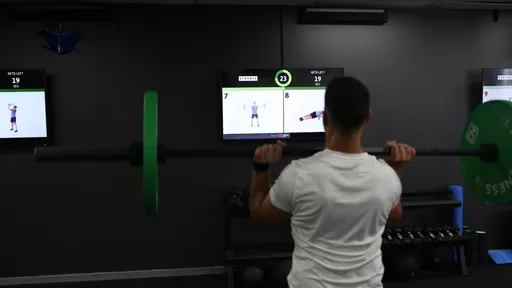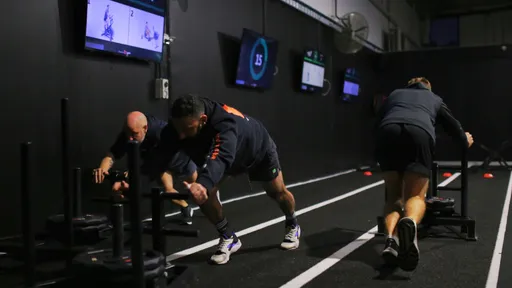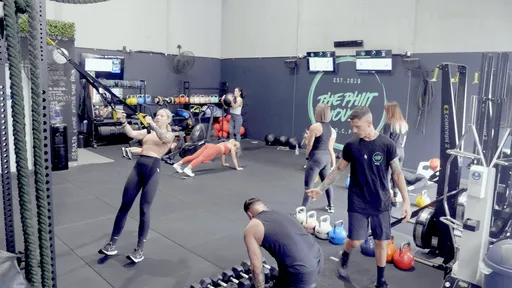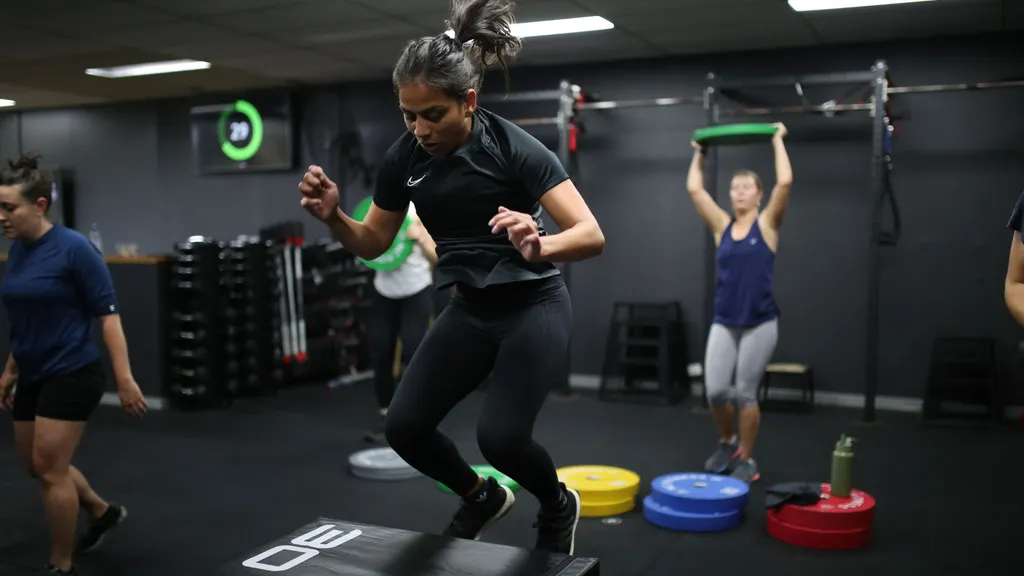
Gym screen products do very different jobs. Myzone displays heart-rate effort. Les Mills Virtual delivers prerecorded classes. Seconds Interval Timer keeps the countdown visible. CloudFit brings your own workout programming to the screen, with exercise demonstrations, timing and instructions that guide members through the session.
Compare the main options:
- Workout delivery: CloudFit, for running your own programming and improving the class experience.
- Timers: Seconds Interval Timer and GymScreen, for visible work/rest periods and rounds. GymScreen also includes signage tools.
- Heart-rate displays: Myzone and Spivi, for showing members their effort or performance.
- Prerecorded classes: Les Mills Virtual and Wexer Virtual, for video-led workouts from a content library.
- Equipment-connected displays: Technogym, for workout feedback and digital information on compatible equipment.
- General digital signage: ScreenCloud, OptiSigns and Screenly, for reception screens, schedules and marketing messages.
We recommend starting with CloudFit to make your classes easier to follow and easier to coach. Clear exercise demos and timing help new members follow along and feel welcome from their first session. Trainers can spend more time coaching technique and encouraging people, with less attention spent on timers and transitions. Putting the class structure on screen also helps your team deliver a consistent experience across coaches and time slots, so members can enjoy the same standard whichever class they attend.
The benefits of workout displays extend beyond a single studio. CloudFit helps you standardise programming and delivery across multiple locations, so new coaches and sites can follow the same class format. You can add specialist tools for heart-rate feedback, virtual classes or foyer signage wherever you need them.
Comparison of gym screen technology
| Product | Category | Main benefits | Best suited to |
|---|---|---|---|
| CloudFit | Workout delivery | Clearer workouts for members, more time for coaching, consistent classes and delivery across locations | Gyms and fitness studios of all sizes delivering their own workouts |
| Seconds Interval Timer, GymScreen | Workout timers | Timer for visualising work/ | Those needing a simple timer while relying on a coach |
| Myzone, Spivi | Heart-rate displays | Real-time effort tracking and gamified motivation | Cardio and spinning studios |
| Les Mills Virtual, Wexer Virtual | Prerecorded classes and content libraries | Ready-made / | Facilities offering video-led sessions or filling timetable gaps |
| Technogym equipment displays | Equipment-connected displays | Workout feedback and digital information on the equipment | Gyms that already use Technogym equipment |
| ScreenCloud, OptiSigns, Screenly | General digital signage | Promotions, timetables, announcements and media playlists | Reception areas, foyers and other information screens |
The table highlights each product's main role and a typical use case, rather than every feature or audience it supports. Some products span categories, and different rooms may need different tools.
Workout delivery: better classes with CloudFit
A workout display system puts the session where everyone can see it. Members know which exercise to perform, how long to work and what's coming next. A newcomer has a demonstration to refer back to, while the trainer has more time to help them settle in, check their technique and offer a suitable variation.
CloudFit makes that practical for your team. Build the workout in the mobile app or a web browser. Set the work and rest periods, add exercise videos and use digital whiteboards for coaching notes. Choose from the exercise library or upload your own demonstrations so members see the movements and equipment used in your gym. Prepare sessions ahead of time, schedule starts and use CloudFit AI to help develop your programming.
With Business, you can apply your gym's branding, give staff access and coordinate multiple displays. Multi-Track lets different parts of the room follow different programming: strength at one set of stations, cardio at another, or a dedicated warm-up area.
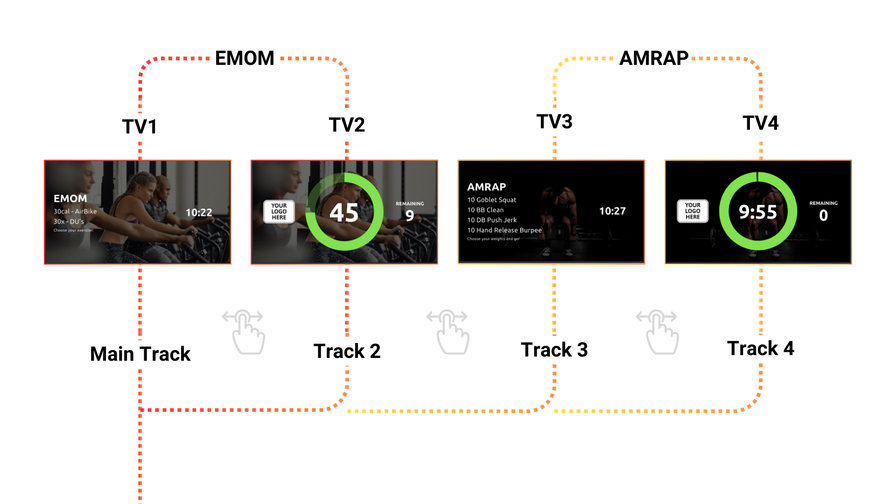
Multi-Track lets different screens show their own workout instructions and timing within the same session.
That structure helps when a cover coach takes the class or a new location opens. The exercises, timings and instructions are already prepared, so staff can concentrate on the people in front of them. Use CloudFit for circuits, strength sessions, boxing or a mix of formats, with the equipment your gym already has.
See how workout display systems work for the setup, and explore CloudFit's features for the builder, custom media, scheduling, AI and Published Workouts. Our Hitfit customer story shows how a growing gym network uses CloudFit to support its class delivery.
Timer-focused tools: Seconds Interval Timer and GymScreen
Seconds Interval Timer supports formats such as HIIT, circuits and custom intervals. It suits a coach who already provides all the exercise guidance and mainly wants a visible countdown. Check the app and connection method for the display you plan to use.
GymScreen combines TV workout timers with announcements, schedules and leaderboards. It's an option for gyms whose main screen needs are a countdown and information between sessions.
A timer tells members when to work and rest. When they also need to see what to do at each station, CloudFit combines that exercise guidance with timing in the workout itself. Business adds coordination across multiple screens and workout tracks.
Heart-rate displays: Myzone and Spivi
Myzone focuses on heart-rate effort and engagement. Spivi provides on-screen performance feedback, with metrics such as heart rate, power and cadence depending on the setup. Challenges and effort feedback can add motivation to cardio and spinning classes, as well as other sessions built around heart-rate tracking.
For the workout itself, CloudFit supplies the workout instructions: the exercise, demonstration, timing and coaching notes. You may want both roles in the same room. Our team can help you plan separate devices and screen space for each system. Confirm compatibility before relying on a shared-screen setup or native integration.
Myzone also offers MZ-Instruct for workout guidance. If that's the part you're replacing, our MZ-Instruct alternatives guide explains the move to CloudFit.
Prerecorded classes: Les Mills Virtual and Wexer
Les Mills Virtual delivers Les Mills classes by video. Wexer Virtual offers a workout library with scheduled or on-demand playback and also supports a facility's own video content. These services suit gyms that want video-led sessions during quieter hours or gaps in the staffed timetable.
The class follows the chosen video. CloudFit is our recommendation when you want to build the session around your own exercises, station layouts and timing, with trainers free to coach the room. A facility can use CloudFit for its own programming and a virtual-class service in another studio.
Equipment-connected displays: Technogym
Technogym's connected equipment brings workout information and digital training content to the equipment console. These displays are most relevant to gyms that already use compatible Technogym equipment.
Its separate Teambeats class system combines heart-rate feedback, class timing and music through Technogym's UNITY SELF and mywellness setup. Confirm the required hardware and subscriptions with Technogym.
With CloudFit, you can choose your workout software separately from your exercise equipment. Build around the bikes, racks, benches and other equipment you already have, then use supported media players to run your gym screens.
General digital signage: ScreenCloud, OptiSigns and Screenly
ScreenCloud, OptiSigns and Screenly are useful for a foyer screen showing membership offers, the class timetable or gym announcements. Their core job is to manage and display information and media.
That makes them a good fit for marketing and reception screens. To run workouts, choose a system that moves through the exercises, runs the timers and shows the right instructions at each station. CloudFit puts those functions together so your coach can start, pause or advance the session as the room needs.
Start with a better class experience
We recommend CloudFit as the starting point for gyms and studios that want clearer workouts, more attentive coaching and a consistent experience for members. Build a session your members enjoy, then give every coach and location the tools to deliver it consistently. Add heart-rate tracking, prerecorded classes or reception signage when those serve a separate need.
Ready to choose a workout display platform? Our workout display software comparison takes a closer look at CloudFit and the other options for running your own sessions on screen.
Get started with CloudFit using the Free plan, with unlimited workouts on one display and no time limit. There's also a 30-day free Business trial to try the full studio features; see pricing and plan inclusions. If you'd like help planning your room or a rollout across several sites, talk to our team.